Start nowwith Maru
Connect with your parents in just 3 minutes


You can start
in 3 minutes
Install App
Search for 'Marujigi' in the
App Store or Play Store and install
Child Signup
Sign up in 30 seconds
with Email or Kakao
Connect Parents
Instantly connect to your parent's phone
with a 4-digit code
Meet Maru
Set a name and title, and
start your first conversation
Two ways
to use Maru
Start together with your parents — 6 steps
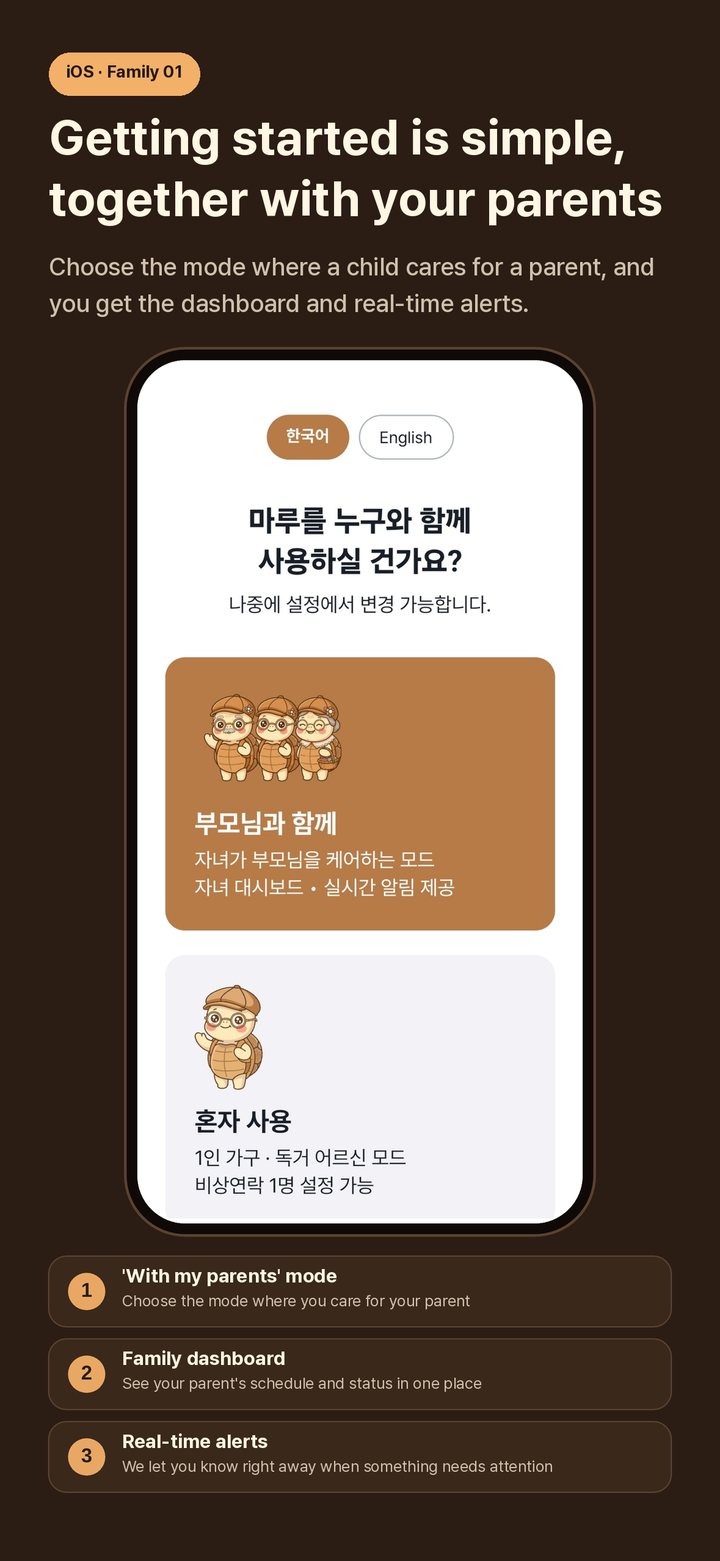
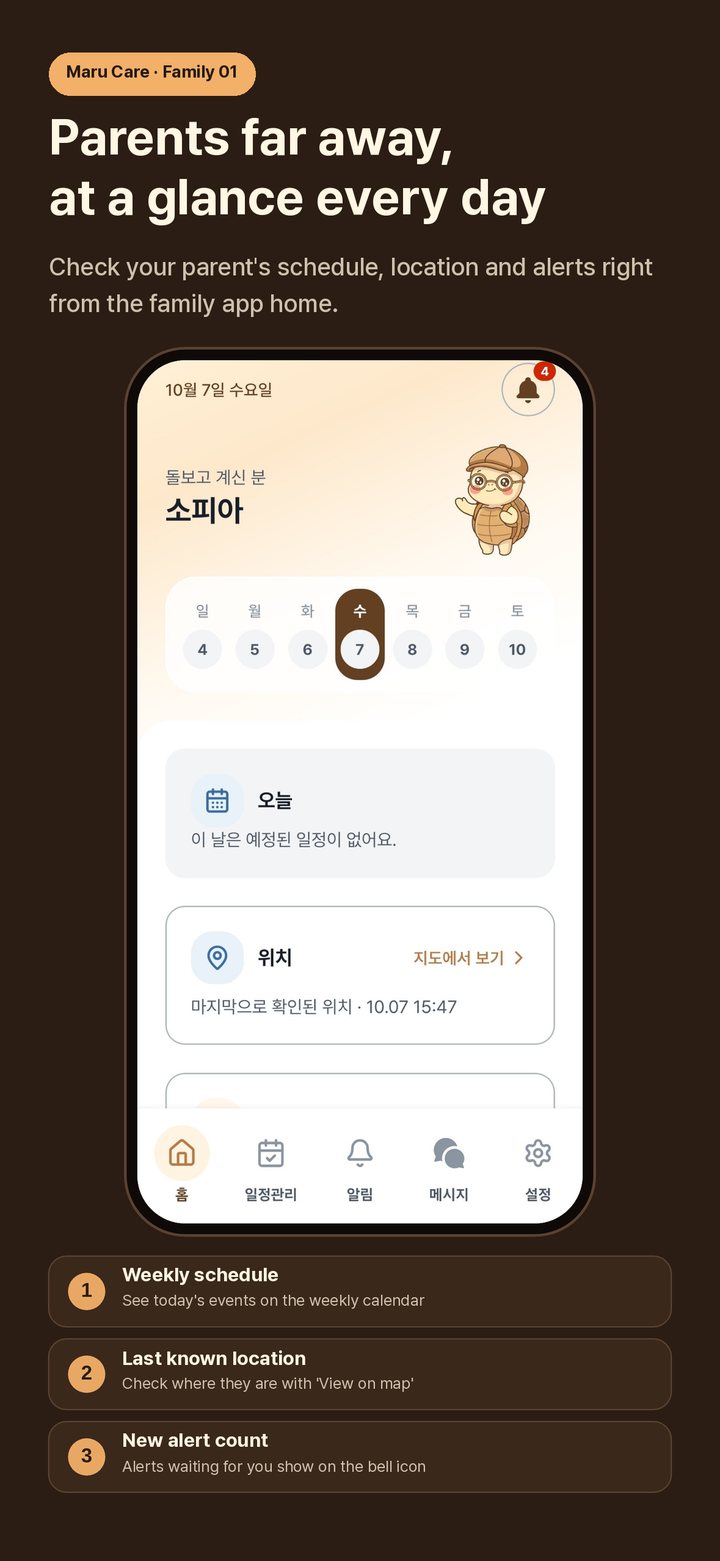
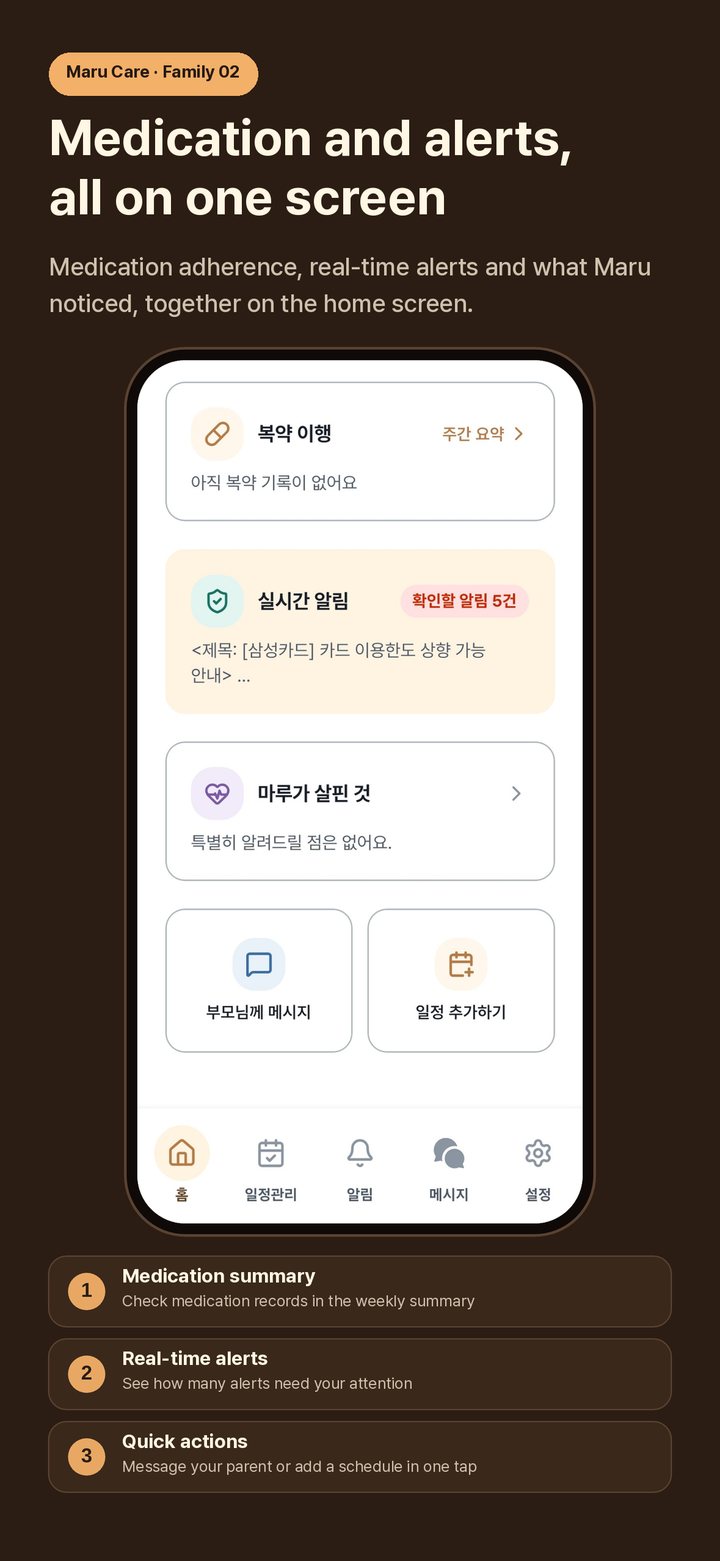
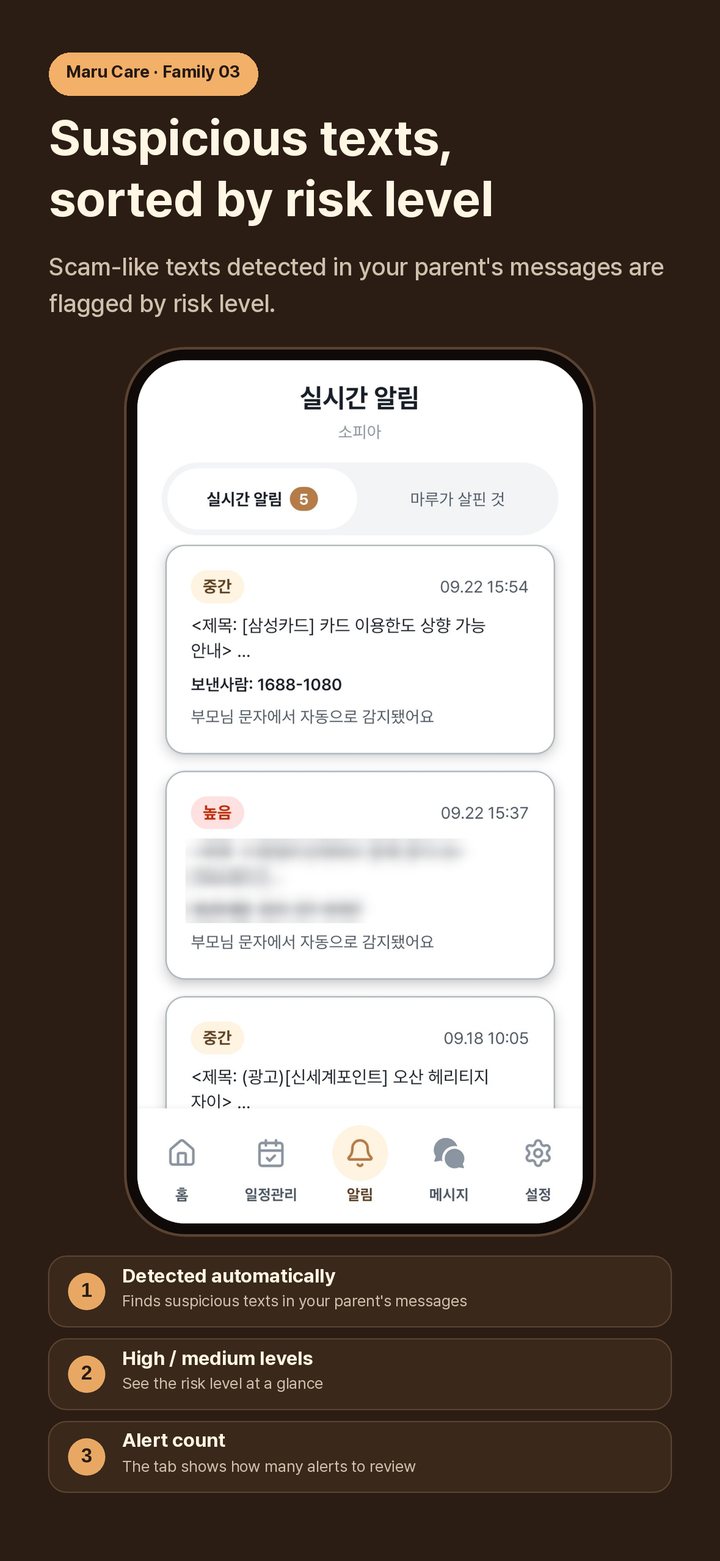
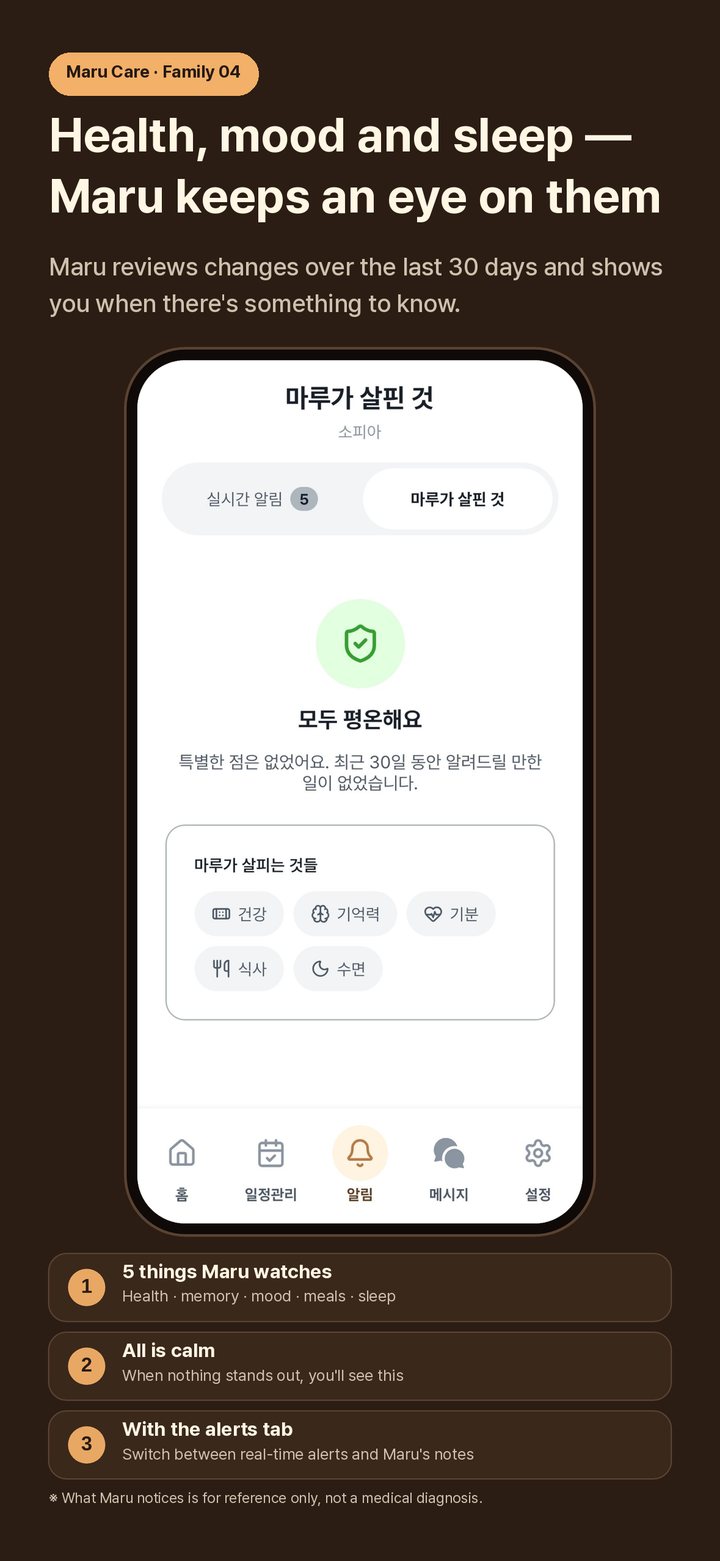
Start in 'With my parents' mode and link your parent's phone with a 4-digit code. Their schedule, location, medication and any suspicious texts show up on your home screen at a glance.
- 1Install the appSearch for "Marujigi" in the App Store or Play Store and install it on your phone
- 2Sign upSign up in 30 seconds with an email, Kakao or Apple account, and choose "With my parents" mode
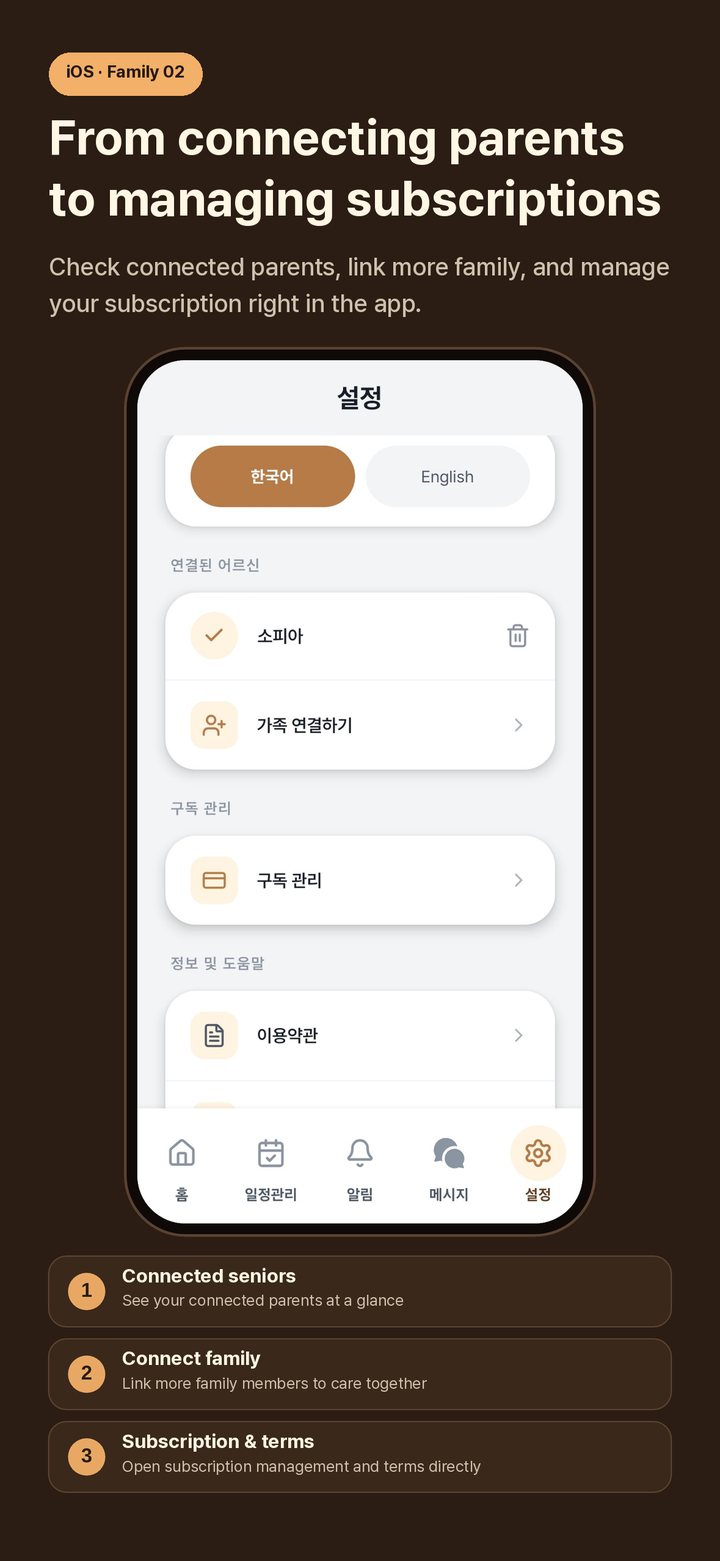
- 3Connect your parentInstall the app on your parent's phone and verify their phone number (no password) → enter the 4-digit link code from the parent app under "Add family" in your app
- 4Meet MaruYour parent chooses Maru's name, how Maru addresses them and the text size, then has a first conversation
- 5Check the dashboardSee your parent's schedule calendar, last known location on the map and weekly medication adherence at a glance
- 6Get alertsVoice-phishing, inactivity and missed-medication alerts arrive in real time; say hello right away in family chat
Start on your own — 4 steps
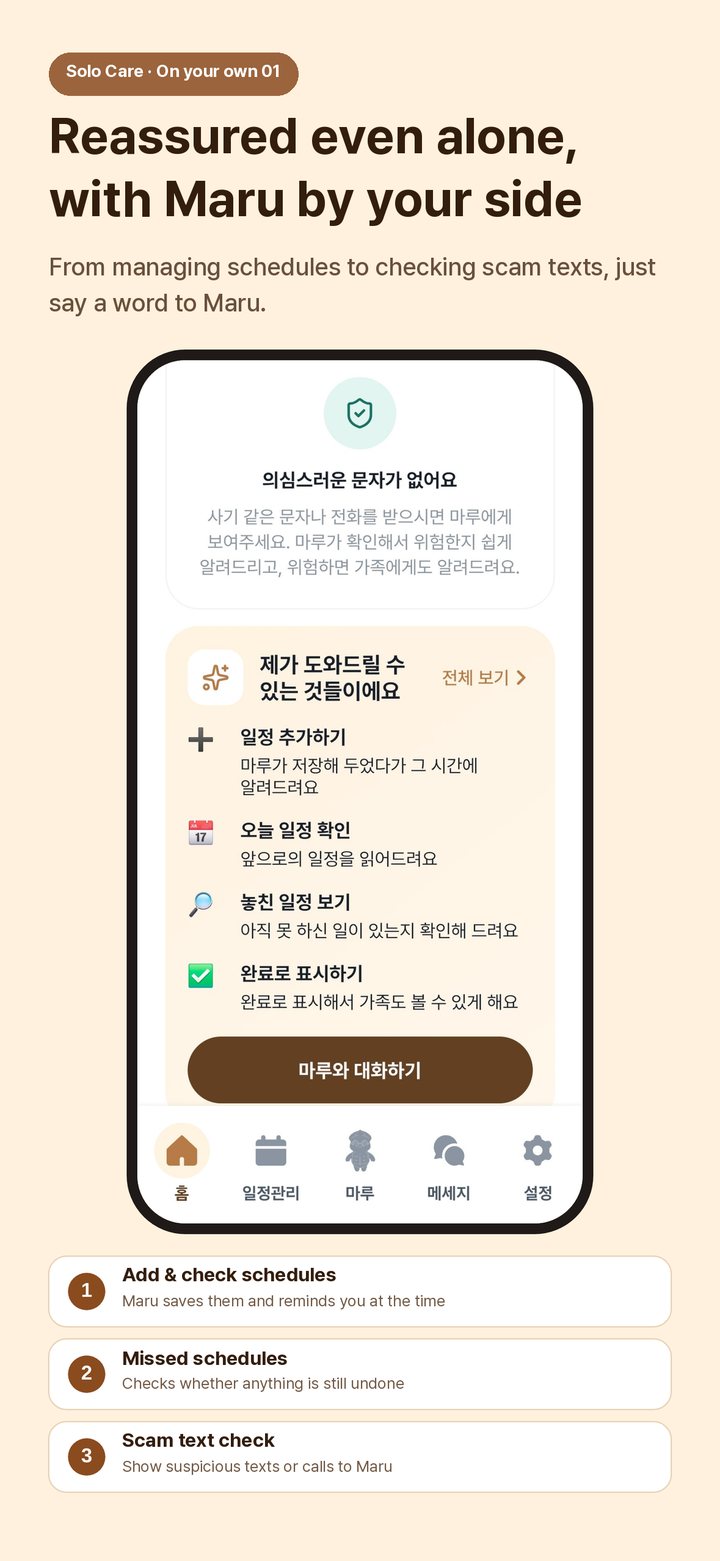
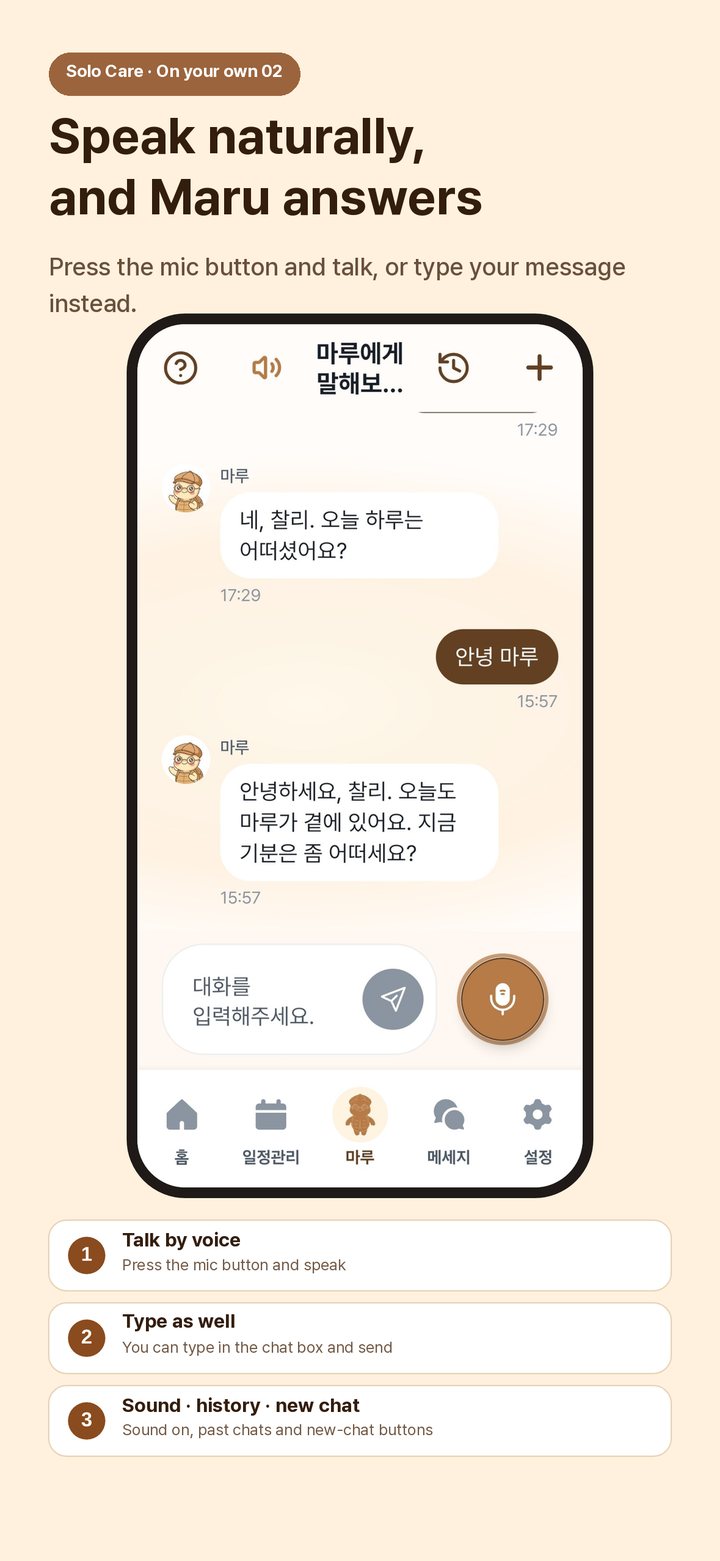
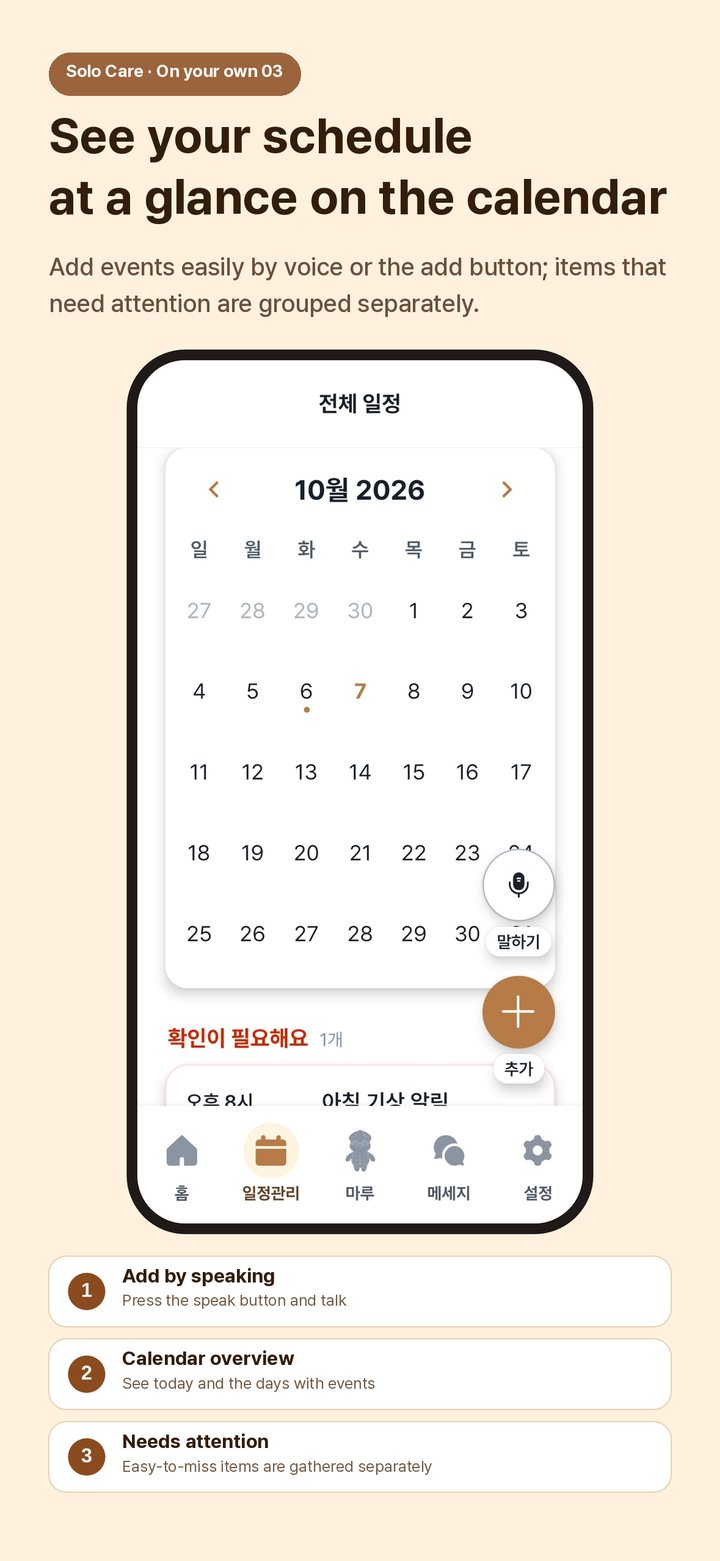
No family nearby? That's fine. Choose 'On my own' and Maru helps with schedules, checking scam texts and friendly conversation — all by voice. Text size adjusts in 4 steps.
- 1Install the appInstall "Marujigi" on the senior's phone
- 2Easy sign-upLog in with text-message verification of your phone number only (no password), and choose "On my own" mode
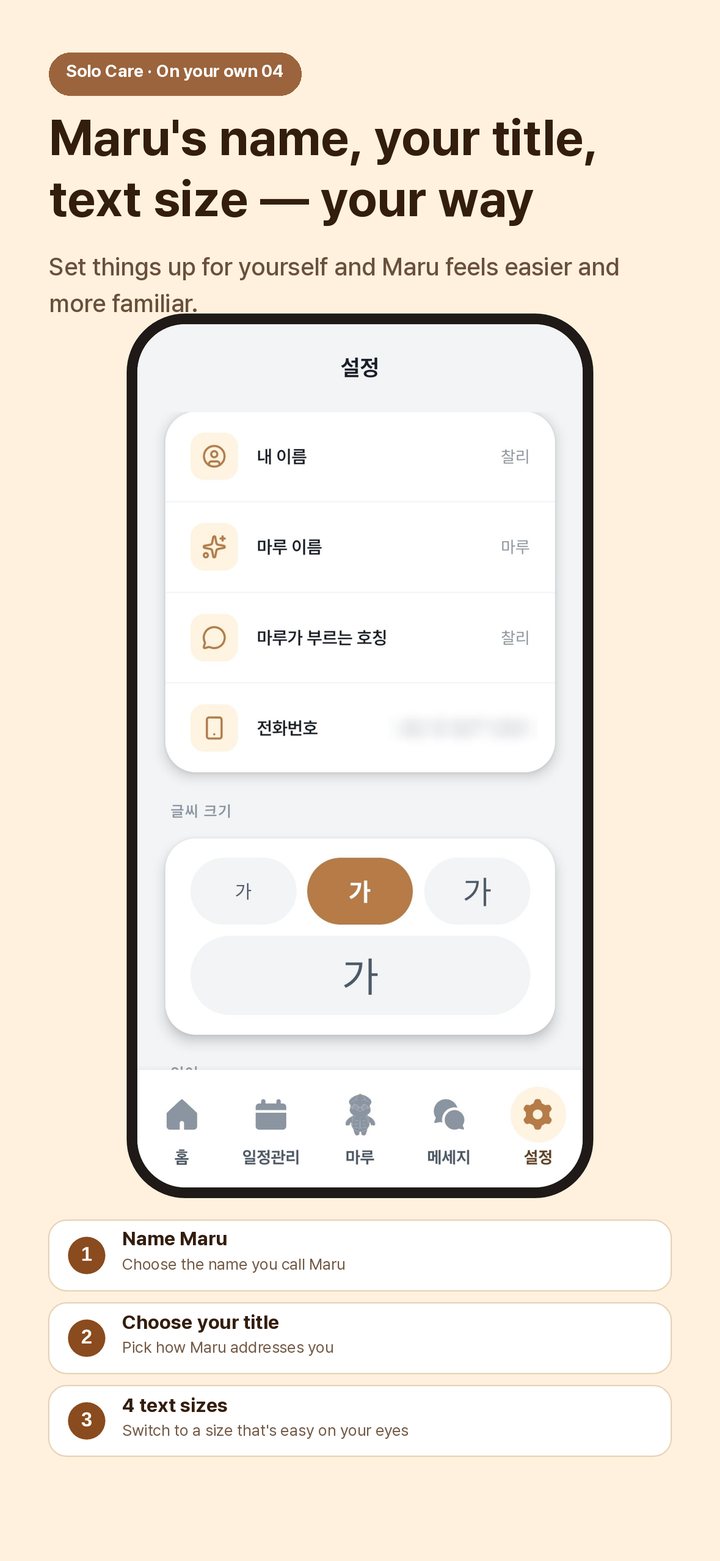
- 3Meet MaruSet Maru's name, how Maru addresses you, and the text size (4 levels)
- 4Start by talkingSay "Remind me about the hospital at 3 tomorrow" and the schedule is saved with a reminder; upgrade to Solo Care when you need more
Add family (optional)
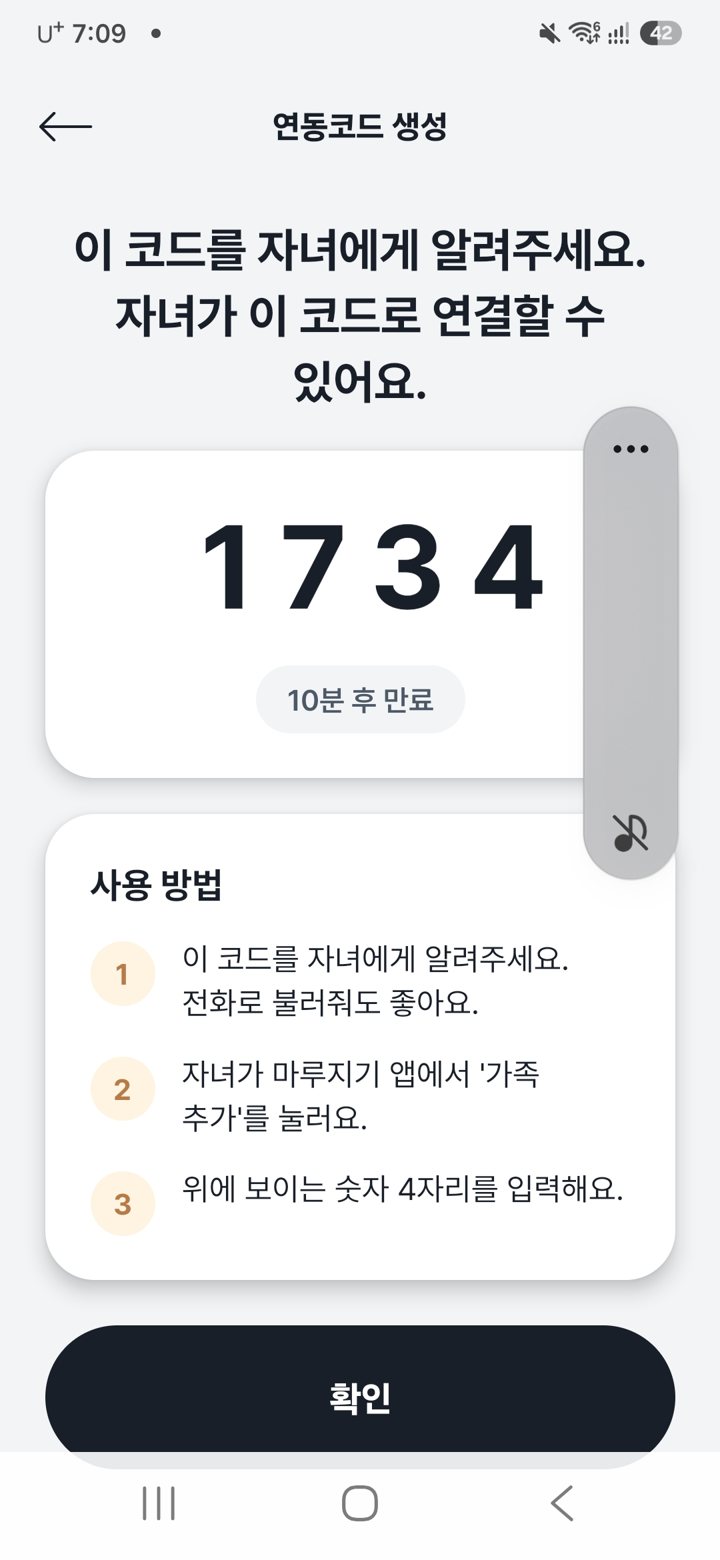
If you'd like to use Marujigi together with your children later, tap "Create link code" in the senior app. A 4-digit number appears in large type on the screen; just tell it to your child, even over the phone. When your child taps "Add family" in their Marujigi app and enters the number, you're connected right away and can share schedules, medication reminders and location.
- 1Share this code with your child (reading it over the phone is fine)
- 2Your child taps "Add family" in the Marujigi app
- 3They enter the 4 digits shown on the screen
※ The code is valid for 10 minutes and a new number is generated each time, so if it expires, simply create another.